

Construction Company
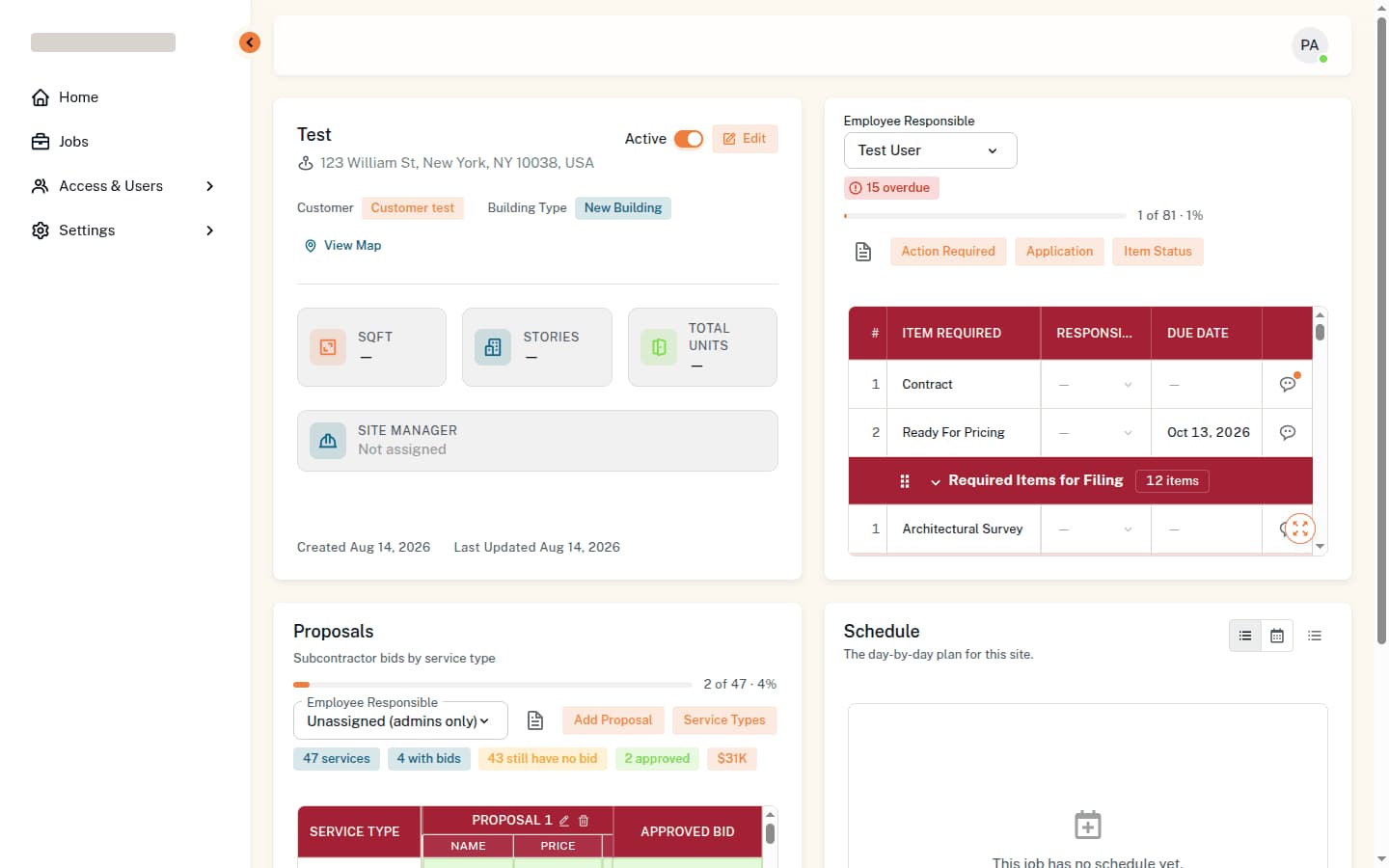
A filing and site-operations platform for a New York construction firm: every DOB filing, permit and pre-construction item a job needs, tracked from one sheet, with the subcontractor bids and the daily chase built into the same system.
Technology
- Next.js
- React
- MUI
- REST API
The Problem
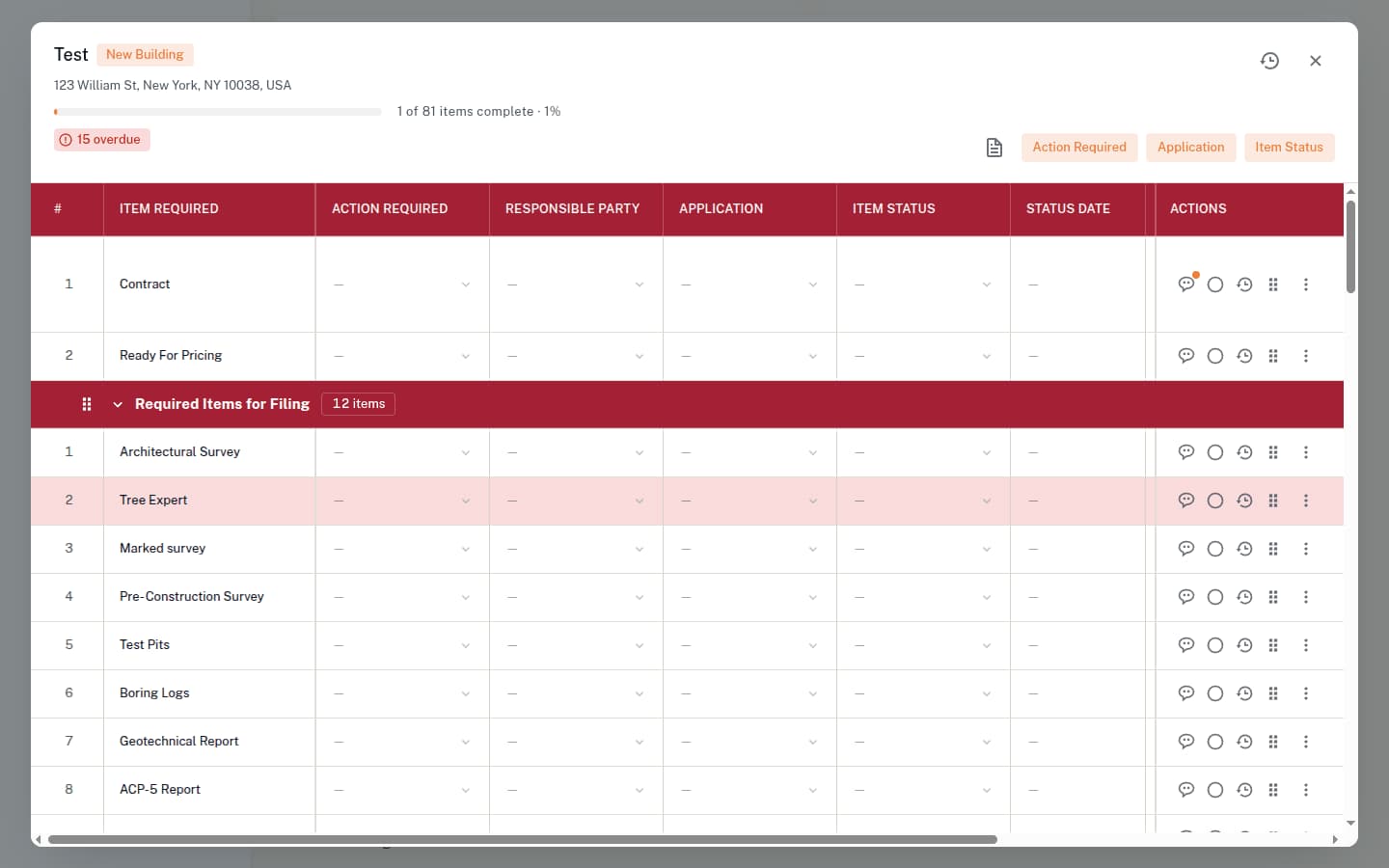
A new building in New York does not start with construction. It starts with a list: an architectural survey, boring logs, an ACP-5, a geotechnical report, neighbour agreements on four sides, Con Edison service, and then thirty-odd separate DOB filings and nineteen permits behind them. Each has an owner, a due date and a state, and each one blocks something else.
That list lived in a spreadsheet, and the spreadsheet had grown its own machinery around it — a trigger log, a sent log, an email log. Nobody could open one screen and see what was overdue across every job, and the reminder that was supposed to chase an item was a tab that someone had to remember to look at.
What We Built
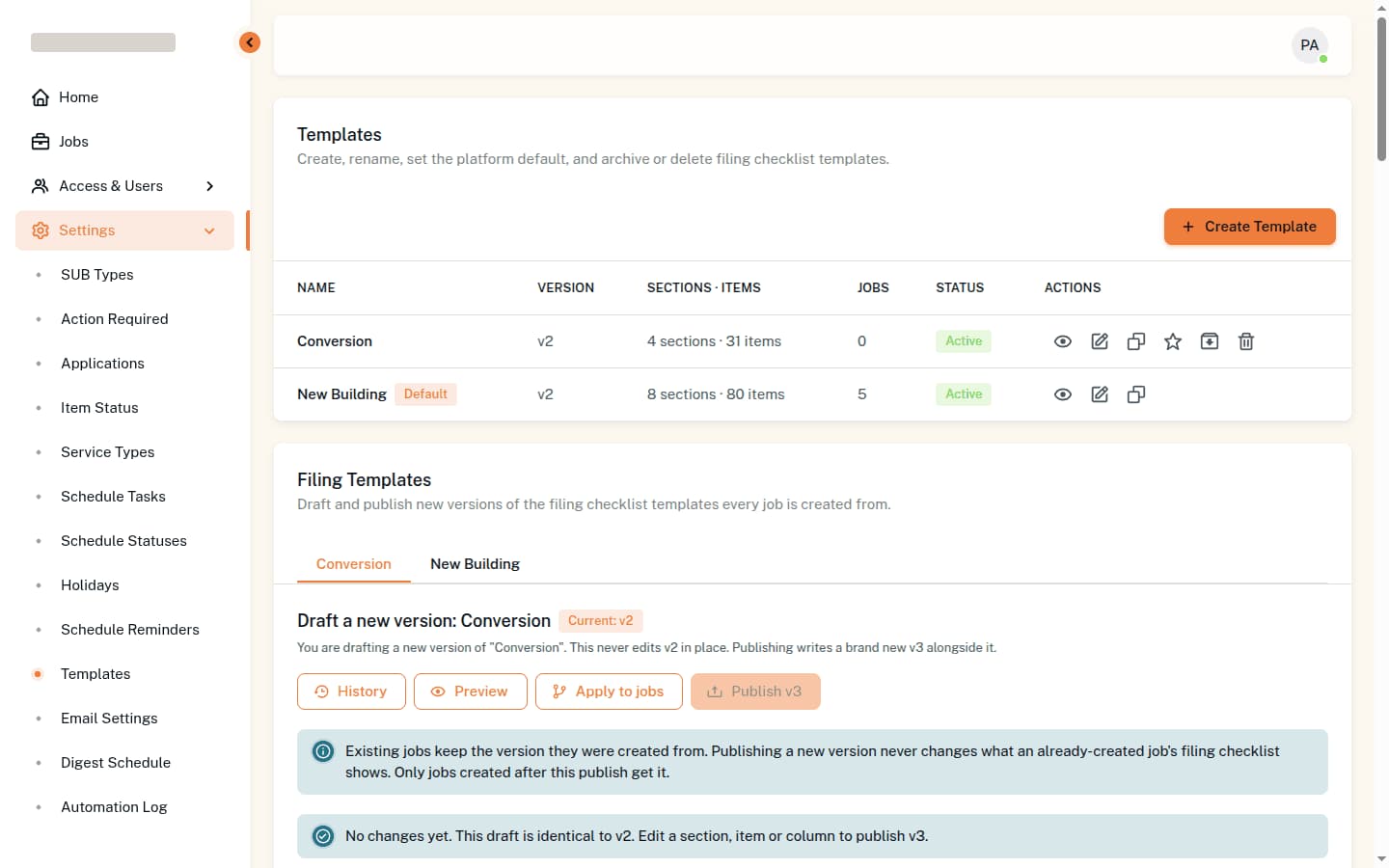
One sheet per job, generated from a filing template. A template names its own columns — item required, action required, responsible party, application, item status, status date, due date, files, comments — and groups its items into sections, so a New Building job opens with eighty items already in the right order and a Conversion opens with thirty-one.
Templates are versioned rather than edited. Drafting a change never touches the live version; publishing writes a new one alongside it, and every job already open keeps the version it was created from. That is the difference between improving the checklist and silently changing what a job in progress was told to do.
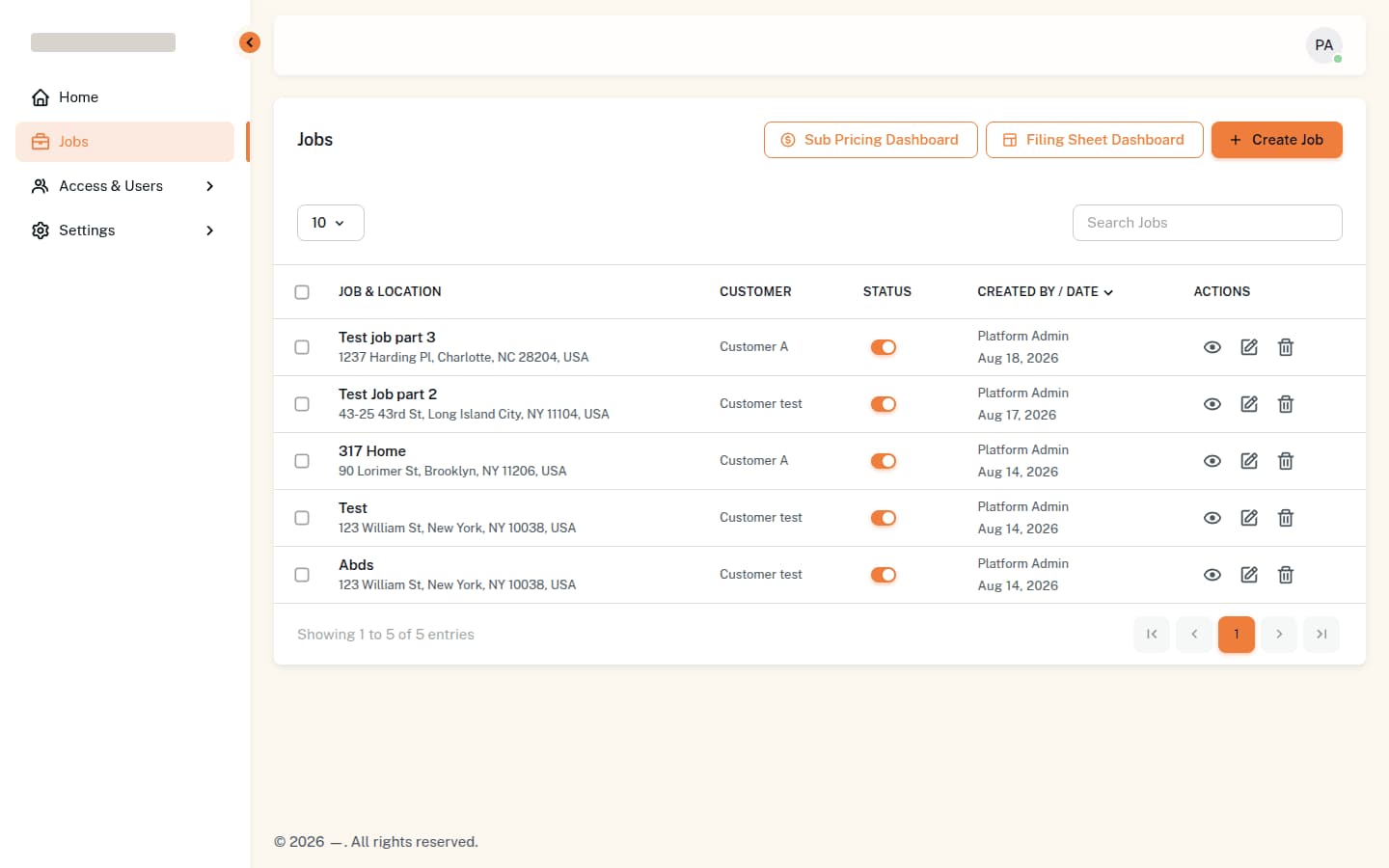
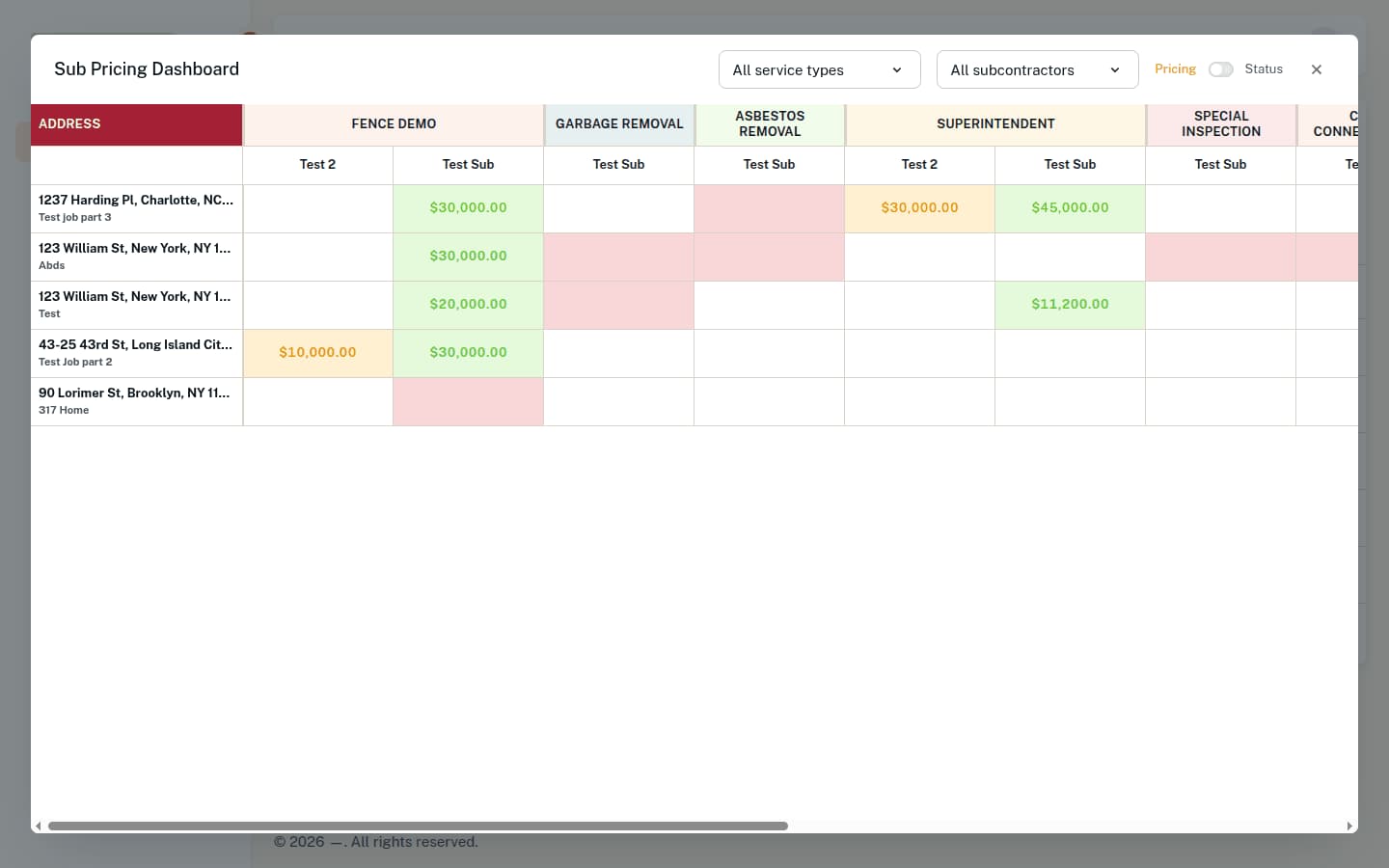
Around the sheet sits the rest of the day: subcontractor proposals priced per service type with one bid marked approved, a pricing grid that reads those bids across every job at once, a day-by-day site schedule drawn from a library of several hundred tasks, and the people — employees, customers and subs — with the roles and departments that decide who sees which job.
The Chase Is The Product
The Filing Sheet Dashboard answers the only question the office asks every morning: what is due or already late, across every job I can see. It opens on the items themselves rather than on a count of them, filtered to one employee or to all of them, and it is the same rows the job page edits — not a report generated from them.
The chase then leaves the building on its own. A due-date digest goes out on a schedule set in the interface — an hour, a minute, the weekdays it runs, in New York time, taking effect on the next minute with no deploy — as one email per job or a single summary covering all of them, and each person chooses which of the two reaches them.
Automation You Can Audit
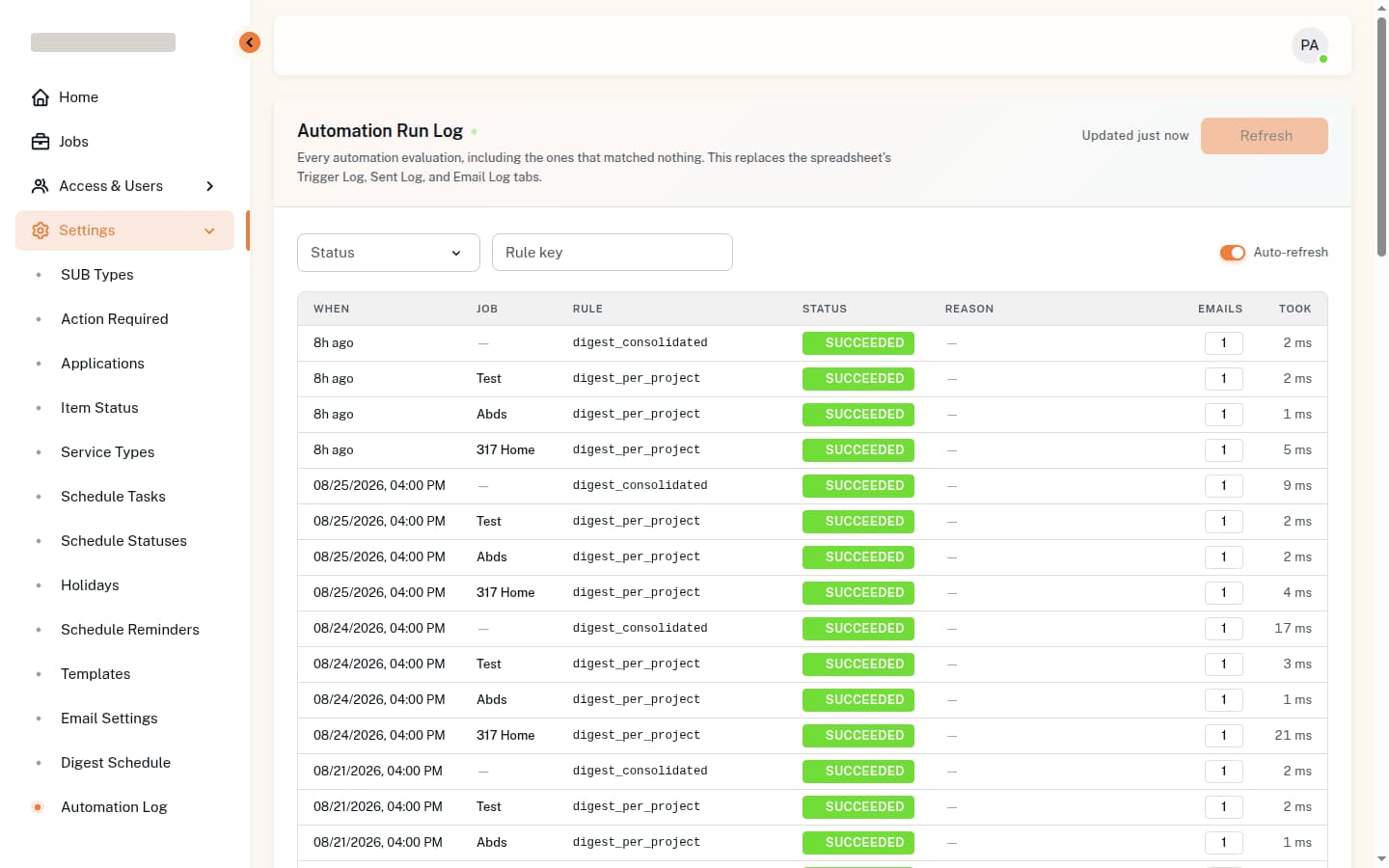
Rules watch named rows and fire when one changes state. The hard part is not running them; it is being able to answer why an email did or did not arrive three weeks ago.
So every evaluation is recorded, including the ones that matched nothing: the job, the rule, the outcome, how many emails it sent, how long it took, and in plain words why it stopped — "no rule matched — this row is 'Neighbor/South'; check the rule is switched on and watches that exact row name". A run log that only records successes is a log that cannot be debugged.
Other projects

Say hi, and let’s get to work
Let’s discuss your ideas
- Construction Company
- Mandi System
- Build AI
- Lonesyte